Scroll
Your trusted AI second opinion

Not sure if that
message is real?

SafeOutAI gives you a calm, clear answer in seconds AI that explains threats in plain language anyone can understand.

Built for everyone especially those who feel uncertain about messages, emails and links online.

Coming soon on
App Store
Coming soon on
Google Play
M
E
A
★★★★★
Be among the first to try SafeOutAI
SafeOutAI
Caution

Suspicious link detected. See guidance.

Review recommended
Analyzing… In seconds
Very Low Risk

No significant threats detected.

AI assessed
Phishing Detection
Scam Messages
Suspicious Links
QR Code Scams
Social Engineering
Identity Theft
Fake Invoice Fraud
Analysis In Seconds
Phishing Detection
Scam Messages
Suspicious Links
QR Code Scams
Social Engineering
Identity Theft
Fake Invoice Fraud
Analysis In Seconds

Who It's For

Built for everyone.
Especially those who need it most.

"The solution isn't more filters it's deeper understanding."

01

Seniors & Older Adults

Scammers specifically target older people. SafeOutAI gives you a calm, trustworthy second opinion before you respond to anything suspicious.

See how it protects you
02

Everyday Professionals

Inbox full of emails? Not sure if that invoice or login request is real? SafeOutAI spots deception so you can act with confidence — in seconds.

See how it protects you
03

Families & Caregivers

Protect everyone you care about. Share SafeOutAI and give your family the same trusted guidance you'd give yourself any time, any device.

See how it protects you

Features

Everything you need to feel confident online.

AI
Most Powerful Feature

Instant AI Analysis

Advanced AI reads your message and identifies phishing, scam tactics and social engineering in under 2 seconds in plain language anyone can understand.

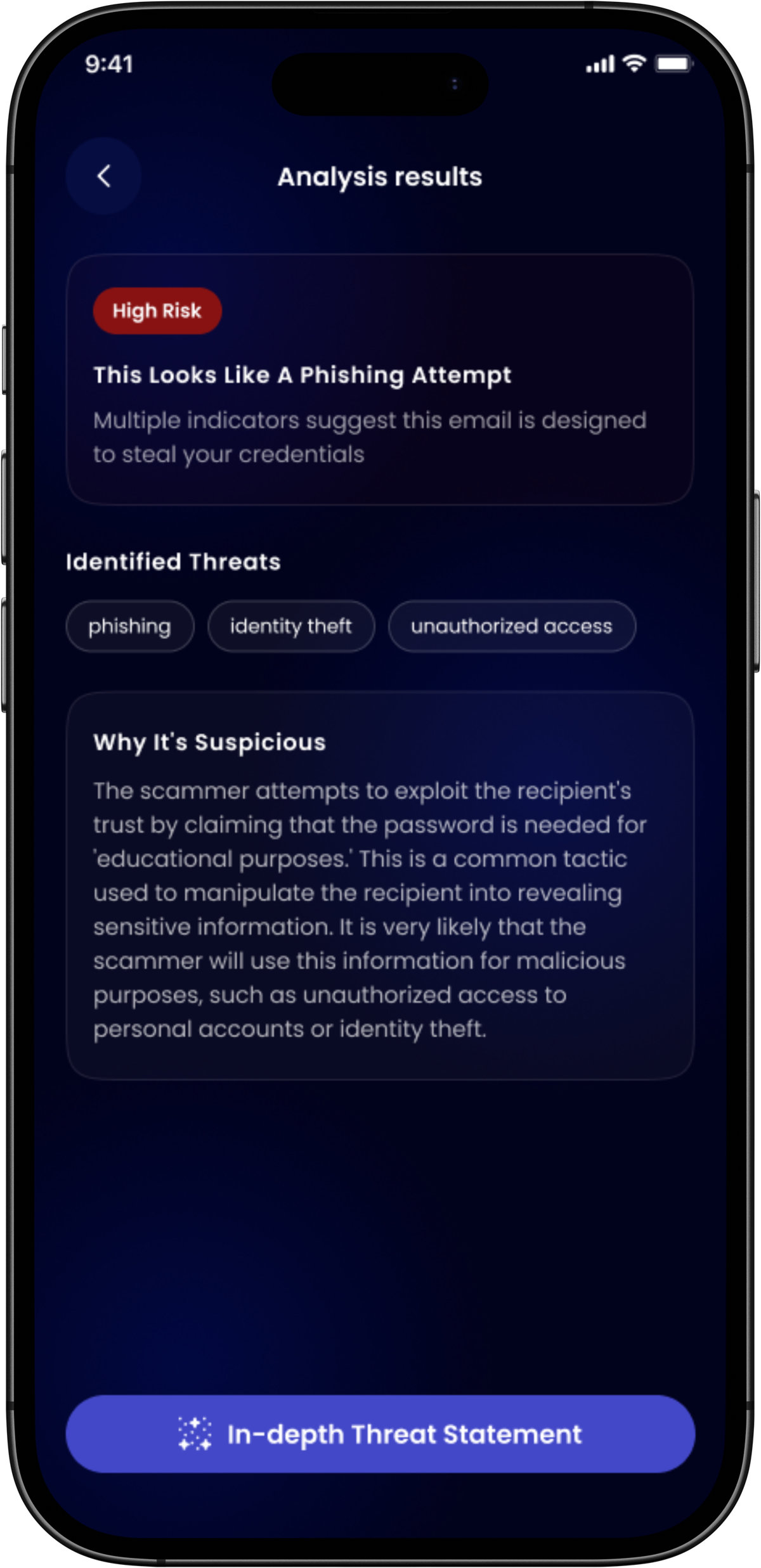
High Risk
instant
This Looks Like A Phishing Attempt
Multiple indicators suggest this message is designed to steal your credentials. Do not click any links.
phishing identity theft

Clear Action Guidance

3–4 specific next steps based on exactly what was found — so you always know what to do next.

Scan Anything

Paste text, scan QR codes, or upload screenshots — OCR handles every format automatically.

🇬🇧
English
🇸🇪
Svenska

English & Swedish

Switch languages any time — all analysis adapts instantly.

Plain Language

No jargon — every explanation in everyday words you actually understand.

Live Security News

Curated daily news so you know what threats are trending before they reach you.

How It Works

From message to clarity
in three simple steps.

No technical knowledge needed. SafeOutAI does the thinking so you don't have to.

Sign in
01
Get Started

Sign in with one tap.

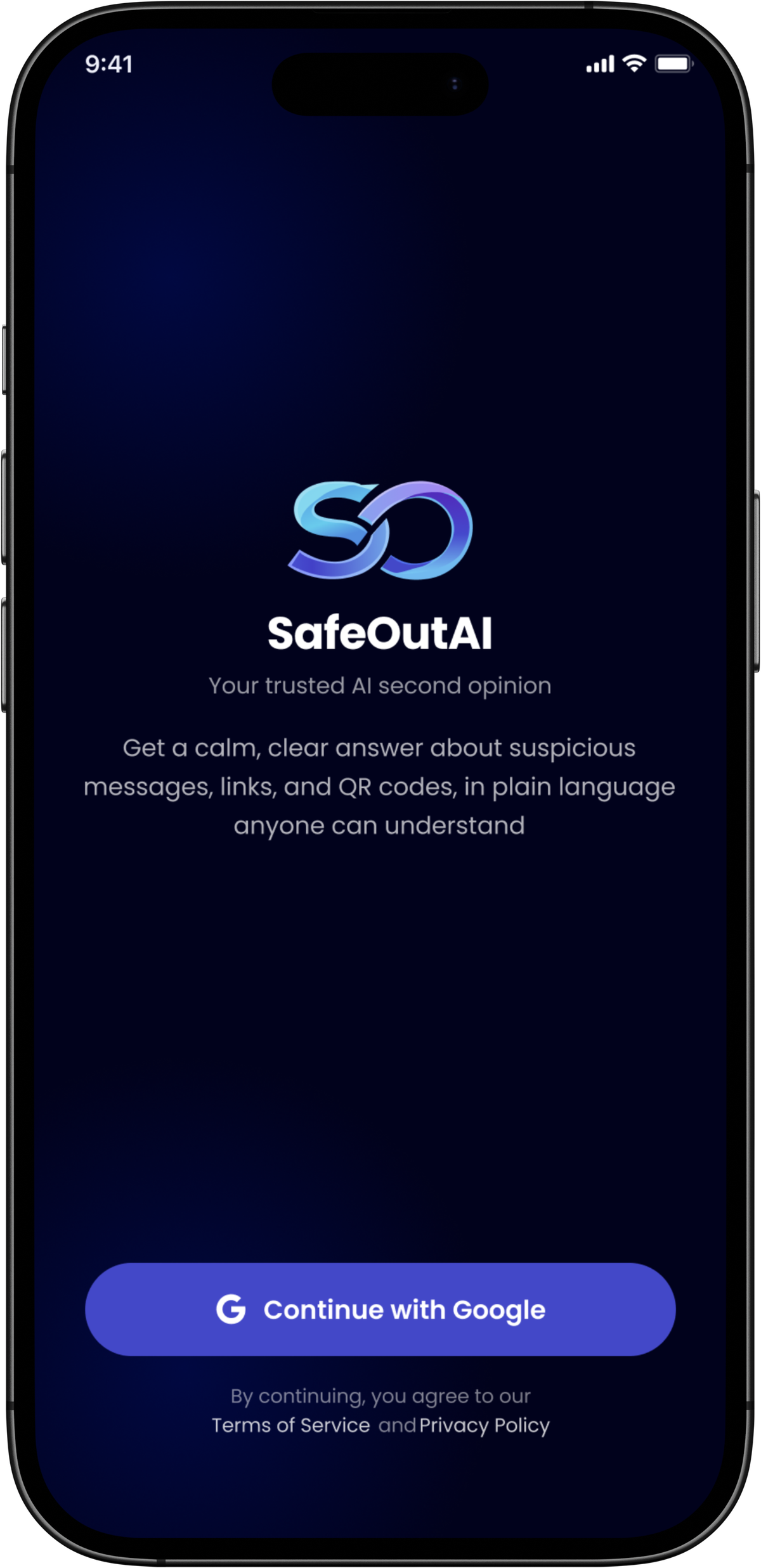
Download SafeOutAI and sign in with your Google account. No passwords to remember — you're protected from the very first second.

Simple Google sign-in, no setup required
Available on iOS and Android
Your data stays private and secure
Scanner
02
Paste or Scan

Share the message you're unsure about.

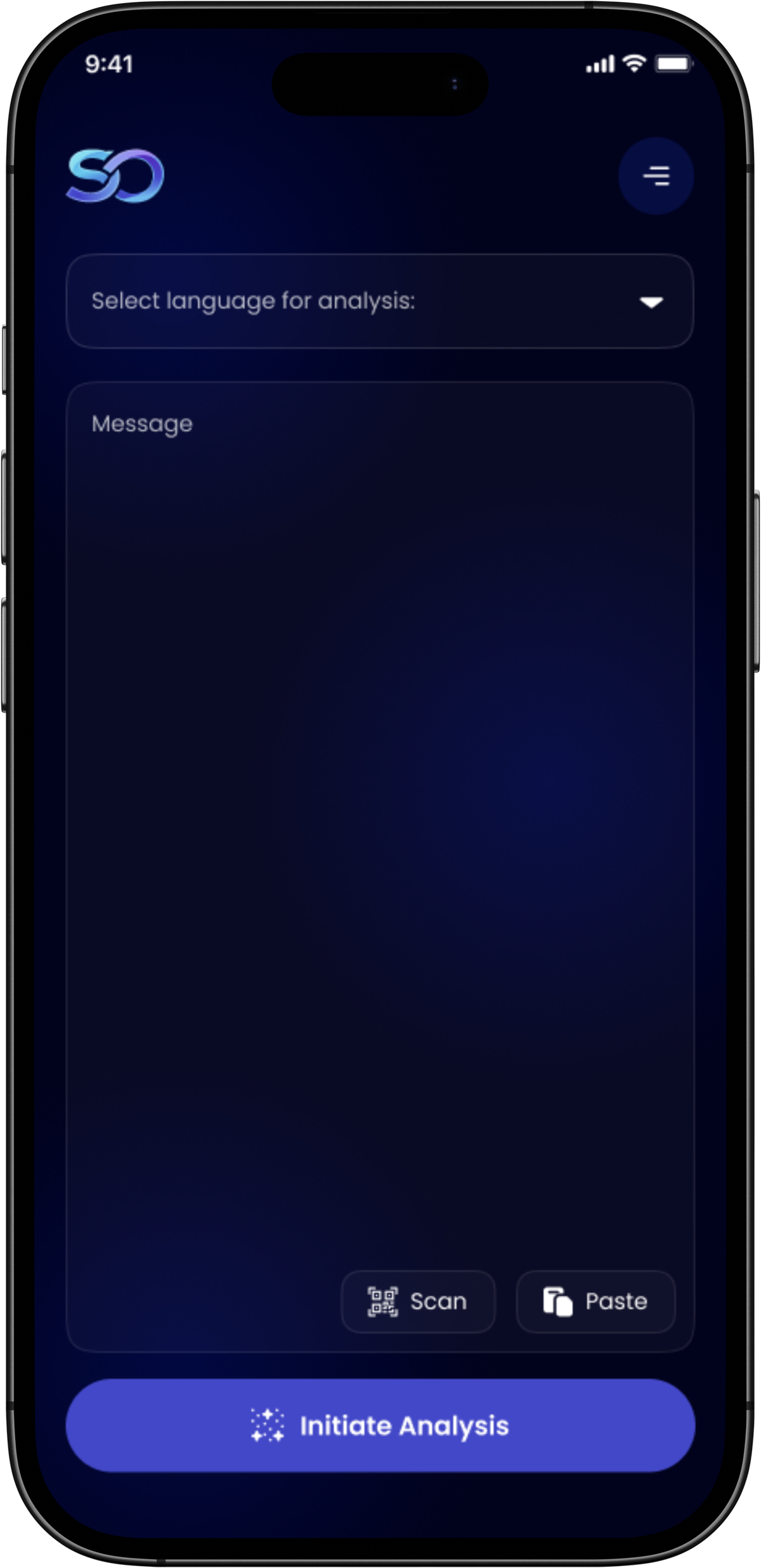
Paste the text, scan a QR code with your camera, or upload a screenshot. SafeOutAI reads it instantly and prepares it for analysis.

Paste text from any app
Scan QR codes with your camera
Upload screenshots — OCR extracts the text
Choose English or Swedish
Results
03
Get Results

Instant verdict. Clear next steps.

SafeOutAI returns a full plain-language breakdown in seconds — risk level, what was found, why it's suspicious, and exactly what to do.

Clear risk level: Very Low Risk / Caution / High Risk
Plain language explanation of every threat
3–4 specific things you can do right now
Full in-depth analysis available on tap

Why SafeOutAI

Guessing alone vs.
knowing for sure.

Figuring it out yourself is stressful and unreliable. SafeOutAI gives you a calm, confident answer every time — in any language.

Try SafeOutAI free →
Checking messages yourself
ConfidenceStressful, uncertain guessing
SpeedMinutes or hours of worry
FormatsCan't check QR or images
GuidanceNo clear next steps
LanguageTechnical jargon, confusing
AvailableOnly when you have time
SafeOutAI With SafeOutAI Recommended
ConfidenceClear, certain answer every time
SpeedUnder 2 seconds
FormatsText, QR codes & images
Guidance3–4 tailored next steps
LanguagePlain English & Swedish
AvailableAvailable whenever you need it

About Us

We built SafeOutAI because everyone deserves to feel safe online.

"It started with a simple question at our kitchen table: 'Is this message real?' My mother would show me suspicious texts and emails, asking if they were safe. Sometimes they were. Sometimes they weren't. But the uncertainty was always there. That moment inspired us to build SafeOutAI — not as another security tool, but as a calm, trusted companion that helps people understand what they're seeing before they act."

Scams and phishing attacks are growing more sophisticated every day — and they deliberately target people who feel least confident online. Elderly users, busy professionals, families who deserve protection but who current tools leave behind.

SafeOutAI was built with a simple belief: if we explain threats in plain human language and give clear next steps — not just alarms — we can genuinely change the outcome. Not panic. Understanding.

info@safeoutai.com
3
Scan methods: text, QR, screenshot
2
Languages: English & Swedish
Whenever
you need it
Available on any device
Free
Privacy-focused, always free

People First

Every decision starts with the user — especially those who feel least confident online.

Privacy by Design

We minimize data storage and never sell your information.

Radical Transparency

No black boxes. We explain exactly what we found and why — so you truly understand.

FAQ

Got questions?
We've got answers.

Everything you need to know about SafeOutAI.

SafeOutAI is your message security companion — AI that checks whether a message, link, or QR code is suspicious and gives you a plain-language verdict plus clear next steps in seconds. No technical knowledge needed.

Yes — SafeOutAI is completely free to download and use on both iOS and Android. No hidden fees, no subscription, and no ads.

Text messages, SMS, emails, chat messages, links and URLs, QR codes, and images containing text (via OCR). You can paste text directly, scan a QR code with your camera, or upload a screenshot from your gallery.

Very Low Risk — No significant threats detected. Caution — Some suspicious indicators; review before acting. High Risk — Strong indicators of a scam or phishing attempt; do not click links or share information.

Yes. Messages are processed in real time and not stored after your result is returned. We do not sell your data, share it for marketing, or use it to train AI models. See our Privacy Policy for full details.

No. SafeOutAI only analyses content you explicitly submit. It never reads your messages, emails, or files in the background. You are always in full control of what gets analysed.

SafeOutAI fully supports English and Swedish. Switch at any time in the app — all analysis results and recommended steps instantly adapt to your chosen language.

SafeOutAI uses advanced, continuously updated AI to detect threats. No AI system is 100% infallible — use it as a trusted second opinion alongside your own judgment. When in doubt, always err on the side of caution.

SafeOutAI SafeOutAI · Free to download

Feel confident
about every message.

Join thousands of people who now have a calm, trusted AI in their pocket ready to check any message, any time.

Coming soon on
App Store
Coming soon on
Google Play

Free to download · iOS & Android · English & Swedish · Privacy-focused